Send from your browser
Organise contacts, write your message, then send it now or schedule it for later. No coding required.
See how the online portal worksDenne siden finnes også på norsk.

Business SMS · Online portal and API
Send reminders, confirmations and offers to your customers. Use the online portal, or connect the SMS API to events in your software.
Setup NOK 0. New customers receive 10 free credits; the SMS count depends on destination and segments.
Write an SMS
Hi! A reminder about your appointment tomorrow at 10. See you then.


Two ways to send
One SMS platform, whether you send messages yourself or build them into your software.
Organise contacts, write your message, then send it now or schedule it for later. No coding required.
See how the online portal worksConnect SMS to a booking, appointment or other event. For your own systems and software you provide to customers.
Explore API and integrationsNot sure which approach fits? Talk to us →
Everyday business SMS
A short message can help keep customers, members and colleagues informed.
Remind someone about an appointment or confirm a booking. Send it yourself, or let an event in your system trigger the message.
Explore SMS notifications →Share opening-hour changes, event details or other practical information with one person or a larger group through bulk SMS.
Explore customer and member messages →Share relevant offers with people who have agreed to receive SMS. Make it easy to opt out when they no longer want your messages.
Read about SMS marketing →SMS in a rental workflow
Rental customers need practical information before pickup and a reminder before return. Sharefox lets rental businesses configure these notifications and send SMS to customers or managers. The SMS messages are sent through Intellipush.
How SMS works in Sharefox ↗The scheduled pickup or return provides the starting point.
The Notifications module uses the event and settings you choose.
Practical information for the customer or manager.
SMS must be enabled in Sharefox. A sending confirmation does not confirm delivery to the handset. Read about status and delivery →
Pricing and payment
Setup costs NOK 0. New customers receive 10 free credits. Buy a prepaid package when you need more balance; larger packages reduce unit cost. Credits are prepaid sending units valid for 24 months. Usage depends on the destination and the number of SMS segments in your message.
Optional services such as keywords and short numbers may carry a recurring rental charge.
Sending higher SMS volumes? Monthly invoicing based on actual usage can be arranged.Discuss invoicing with us →
In customers’ own words
SMS marketing at Sportmann, member communications at Blender Collective and automated workflows at Inlet.
“We have used the Intellipush platform actively for more than five years and are very happy with both the platform and the customer service.”Explore SMS marketing →
 SportmannStian Bjørnebekk
“Intellipush gives us a simple way to communicate with all our members through a channel that reaches them more effectively than email and other forms of communication.”Explore SMS communication →
 Blender CollectiveStian Melhus
“We use Intellipush SMS as a key part of the solution. It makes everyday operations easier for our customers in both the public and private sectors.”Explore the SMS API →
 InletAndreas Dovland

The people and responsibilities behind the service
Based in Fredrikstad, Intellipush helps Norwegian and European businesses use SMS. You can speak to us in English or Norwegian.
Intellipush AS · Organisation no. 912 302 806Veumveien 23, 1613 Fredrikstad, Norway+47 46 20 90 90Family-owned, with a team you can contact directly.
The service terms include a data processing agreement for customer data. The Trust Centre explains who is responsible for what.
Marketing requires consent and an easy opt-out. STOPP/STOP and blacklists support this where SMS replies are enabled; one-way senders need another clear opt-out method.
For developers
Every account includes API access. The developer guide covers OAuth 2.0 and SMS creation from your server. Follow the current reference for idempotency, status and capabilities enabled for the account.
Review available delivery status and use trackable links when you need to see which links are visited.
Start with one workflow, decide who owns the account and pays, and test the path from request to available delivery status.
Connect confirmations, reminders or agreed alerts to the right event. Subaccounts and parent-account funding need to be confirmed for your intended setup.
Explore the integration journey →Setup costs NOK 0 and new customers receive 10 free credits. The SMS count depends on destination and segments. Larger credit packages reduce unit cost.
Understand credits and segments →Follow the API reference for authentication, idempotency and status. An accepted creation response does not confirm delivery to the handset.
Read the SMS API operating guide →Useful tools
Check SMS length, estimate costs and validate phone-number formats. Tool results are indicative.
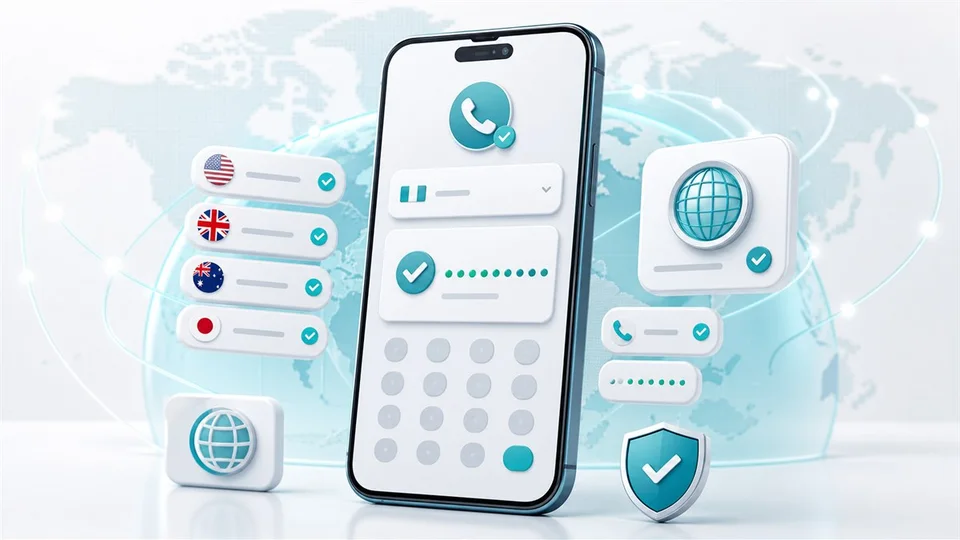
Validate and normalise phone numbers before importing contacts or sending messages.
Open tool
Prepare international sends with country guidance, sender considerations and practical planning advice.
Open tool
Check character count, encoding and SMS segments before you send.
Open toolQuick answers
Here are a few useful answers to get you started.
Yes. Use the online portal to add contacts, write SMS and send or schedule messages from your browser.
Explore the online portal →Yes. Every account includes SMS API access. A developer can set up the connection using the documentation; this is not a ready-made integration with every system.
Read about the SMS API →Prepaid SMS credits are the standard model. There is no monthly platform fee or lock-in, and credits are valid for 24 months. Higher-volume customers may arrange monthly invoicing based on actual usage. Optional rental services are priced separately.
View pricing and payment models →Yes, Intellipush supports international SMS. Pricing, sender requirements and available features vary by destination and message route. Check the requirements for the country you plan to send to.
Read the international SMS guide →Yes. Contact us about sending, pricing or integration. We help Norwegian and European businesses in English and Norwegian.
Contact Intellipush →Articles and guides
Get help choosing a solution, planning your messages and understanding how SMS works.

A practical checklist for assessing workflows, APIs, privacy, cost, support and migration before choosing a business SMS solution.
Read: How to choose an SMS provider: an enterprise buyer’s guide
Understand what affects SMS cost: destination, segments, encoding, volume, optional services and payment model.
Read: How much does business SMS cost? Destination, length and volume explained
Understand sender names, reply-capable numbers and short codes, and choose an SMS setup suited to the purpose, country and need for replies.
Read: SMS sender identity for business: names, numbers and reply optionsGet started
Create an account for free and send from your browser when you are ready. If you would like to discuss your needs first, we are happy to help.