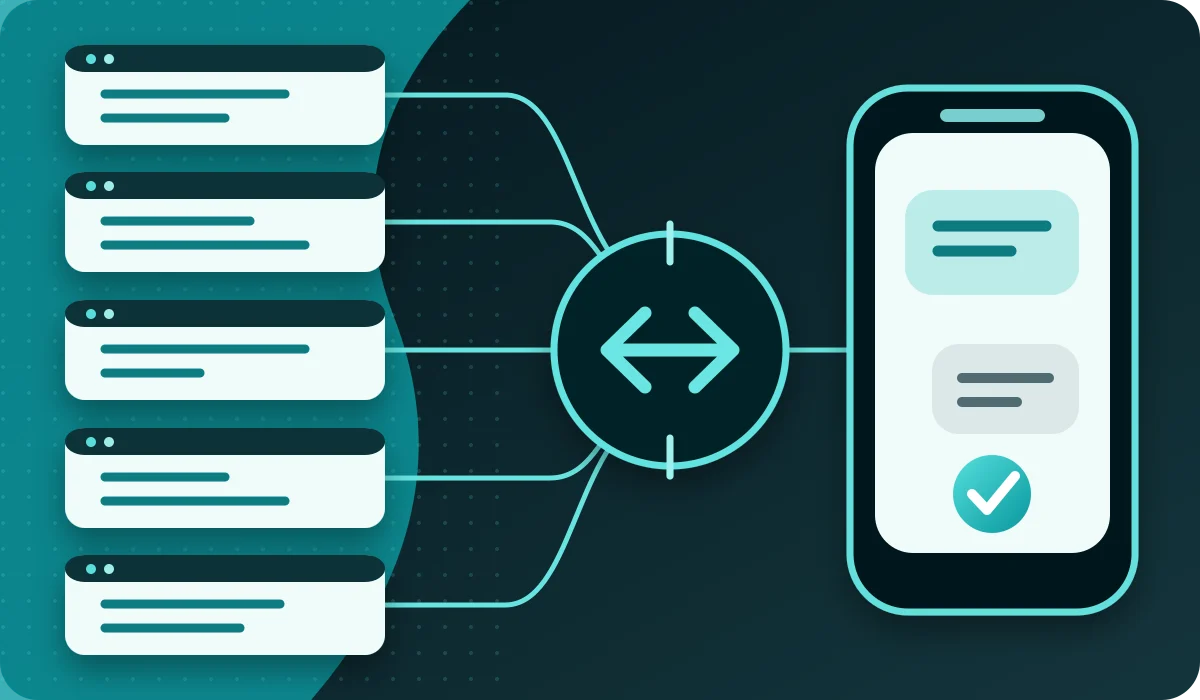
This guide shows the same controlled SMS flow in cURL, PHP, Python, Node.js and C#. Each example obtains an OAuth 2.0 token and then creates one SMS to a number you control.
The examples were checked against the Intellipush OpenAPI specification on 7 September 2026. The interactive API documentation is always authoritative for endpoints, fields, capabilities and responses. An accepted creation response means that the message was registered; it does not confirm handset delivery.
Before you begin
- Create an Intellipush account and obtain the API ID and API Secret securely.
- Keep credentials in the server environment, not browser code, a mobile app or a public repository.
- Use your own test number and a low volume. Creating a message can consume SMS credits.
- Set an explicit timeout and handle 400, 401, 403, 409, 5xx and network failures.
The canonical token flow is POST https://api.intellipush.com/restv2/token using HTTP Basic, application/x-www-form-urlencoded and grant_type=client_credentials. Use the returned value as a Bearer token. New integrations must not put the API ID and secret in a JSON body.
cURL
export INTELLIPUSH_API_ID="your_api_id"
export INTELLIPUSH_API_SECRET="your_api_secret"

TOKEN=$(curl --fail --silent --show-error \
  --request POST https://api.intellipush.com/restv2/token \
  --user "$INTELLIPUSH_API_ID:$INTELLIPUSH_API_SECRET" \
  --header "Content-Type: application/x-www-form-urlencoded" \
  --data-urlencode "grant_type=client_credentials" | jq -r '.access_token')

curl --fail --silent --show-error \
  --request POST https://api.intellipush.com/restv2/sms/create \
  --header "Authorization: Bearer $TOKEN" \
  --header "Content-Type: application/json" \
  --header "Idempotency-Key: first-test-001" \
  --data '{"message":"API test from Intellipush","countrycode":"+47","phonenumber":"12345678"}'
PHP 8 with cURL
<?php
$apiId = getenv('INTELLIPUSH_API_ID');
$apiSecret = getenv('INTELLIPUSH_API_SECRET');

$token = curl_init('https://api.intellipush.com/restv2/token');
curl_setopt_array($token, [
    CURLOPT_POST => true,
    CURLOPT_USERPWD => $apiId . ':' . $apiSecret,
    CURLOPT_HTTPHEADER => ['Content-Type: application/x-www-form-urlencoded'],
    CURLOPT_POSTFIELDS => http_build_query(['grant_type' => 'client_credentials']),
    CURLOPT_RETURNTRANSFER => true,
    CURLOPT_TIMEOUT => 15,
]);
$tokenBody = curl_exec($token);
if ($tokenBody === false || curl_getinfo($token, CURLINFO_RESPONSE_CODE) !== 200) {
    throw new RuntimeException('Token request failed');
}
$accessToken = json_decode($tokenBody, true, flags: JSON_THROW_ON_ERROR)['access_token'];

$sms = curl_init('https://api.intellipush.com/restv2/sms/create');
curl_setopt_array($sms, [
    CURLOPT_POST => true,
    CURLOPT_HTTPHEADER => ['Authorization: Bearer ' . $accessToken, 'Content-Type: application/json', 'Idempotency-Key: first-test-001'],
    CURLOPT_POSTFIELDS => json_encode(['message' => 'API test from Intellipush', 'countrycode' => '+47', 'phonenumber' => '12345678'], JSON_THROW_ON_ERROR),
    CURLOPT_RETURNTRANSFER => true,
    CURLOPT_TIMEOUT => 15,
]);
echo curl_exec($sms);
Python 3 using the standard library
import base64, json, os
from urllib.parse import urlencode
from urllib.request import Request, urlopen

credentials = f"{os.environ['INTELLIPUSH_API_ID']}:{os.environ['INTELLIPUSH_API_SECRET']}"
basic = base64.b64encode(credentials.encode()).decode()
token_request = Request(
    'https://api.intellipush.com/restv2/token',
    data=urlencode({'grant_type': 'client_credentials'}).encode(),
    headers={'Authorization': f'Basic {basic}', 'Content-Type': 'application/x-www-form-urlencoded'}, method='POST')
with urlopen(token_request, timeout=15) as response:
    access_token = json.load(response)['access_token']

payload = json.dumps({'message': 'API test from Intellipush', 'countrycode': '+47', 'phonenumber': '12345678'}).encode()
sms_request = Request(
    'https://api.intellipush.com/restv2/sms/create', data=payload,
    headers={'Authorization': f'Bearer {access_token}', 'Content-Type': 'application/json', 'Idempotency-Key': 'first-test-001'}, method='POST')
with urlopen(sms_request, timeout=15) as response:
    print(json.load(response))
Node.js 18+
const apiId = process.env.INTELLIPUSH_API_ID;
const apiSecret = process.env.INTELLIPUSH_API_SECRET;
const basic = Buffer.from(apiId + ':' + apiSecret).toString('base64');

const tokenResponse = await fetch('https://api.intellipush.com/restv2/token', {
  method: 'POST',
  headers: { Authorization: 'Basic ' + basic, 'Content-Type': 'application/x-www-form-urlencoded' },
  body: new URLSearchParams({ grant_type: 'client_credentials' }), signal: AbortSignal.timeout(15000)
});
if (!tokenResponse.ok) throw new Error('Token request failed: ' + tokenResponse.status);
const { access_token } = await tokenResponse.json();

const smsResponse = await fetch('https://api.intellipush.com/restv2/sms/create', {
  method: 'POST',
  headers: { Authorization: 'Bearer ' + access_token, 'Content-Type': 'application/json', 'Idempotency-Key': 'first-test-001' },
  body: JSON.stringify({ message: 'API test from Intellipush', countrycode: '+47', phonenumber: '12345678' }),
  signal: AbortSignal.timeout(15000)
});
if (!smsResponse.ok) throw new Error('SMS request failed: ' + smsResponse.status);
console.log(await smsResponse.json());
C# with HttpClient
using System.Net.Http.Headers;
using System.Text;
using System.Text.Json;

using var client = new HttpClient { Timeout = TimeSpan.FromSeconds(15) };
var basic = Convert.ToBase64String(Encoding.UTF8.GetBytes(
    Environment.GetEnvironmentVariable("INTELLIPUSH_API_ID") + ":" +
    Environment.GetEnvironmentVariable("INTELLIPUSH_API_SECRET")));
using var tokenRequest = new HttpRequestMessage(HttpMethod.Post, "https://api.intellipush.com/restv2/token");
tokenRequest.Headers.Authorization = new AuthenticationHeaderValue("Basic", basic);
tokenRequest.Content = new FormUrlEncodedContent(new Dictionary<string, string> { ["grant_type"] = "client_credentials" });
using var tokenResponse = await client.SendAsync(tokenRequest);
tokenResponse.EnsureSuccessStatusCode();
var tokenJson = JsonDocument.Parse(await tokenResponse.Content.ReadAsStringAsync());
var accessToken = tokenJson.RootElement.GetProperty("access_token").GetString();

using var smsRequest = new HttpRequestMessage(HttpMethod.Post, "https://api.intellipush.com/restv2/sms/create");
smsRequest.Headers.Authorization = new AuthenticationHeaderValue("Bearer", accessToken);
smsRequest.Headers.Add("Idempotency-Key", "first-test-001");
smsRequest.Content = new StringContent(JsonSerializer.Serialize(new {
    message = "API test from Intellipush", countrycode = "+47", phonenumber = "12345678"
}), Encoding.UTF8, "application/json");
using var smsResponse = await client.SendAsync(smsRequest);
smsResponse.EnsureSuccessStatusCode();
Before production
Do not copy the example directly into a loop for many recipients. Separate configuration from code, use a secrets service, restrict access and introduce explicit volume safeguards. Check /capabilities before using optional functions.
A stable Idempotency-Key for the same logical creation request protects against duplicates after an ambiguous network outcome where the capability is available. Do not use X-Request-ID as the idempotency key; retain it as a technical support reference.
Store the ID from the creation response and use the documented status endpoint where the workflow needs delivery information. Read the status and troubleshooting guide before defining retry and escalation rules.
Open the interactive API documentation, or create an account for a controlled test.
A relevant next step
Planning an SMS integration?
See how the REST API, OAuth 2.0 and a clear operating model fit together.